

하이라이트
- SCANLAB RTC 제어기
- RTC4 / RTC4e / RTC5 / RTC6 / RTC6e
- XL-SCAN (syncAXIS 기반의 RTC6 + ACS 조합)
- 계측 및 프로파일링
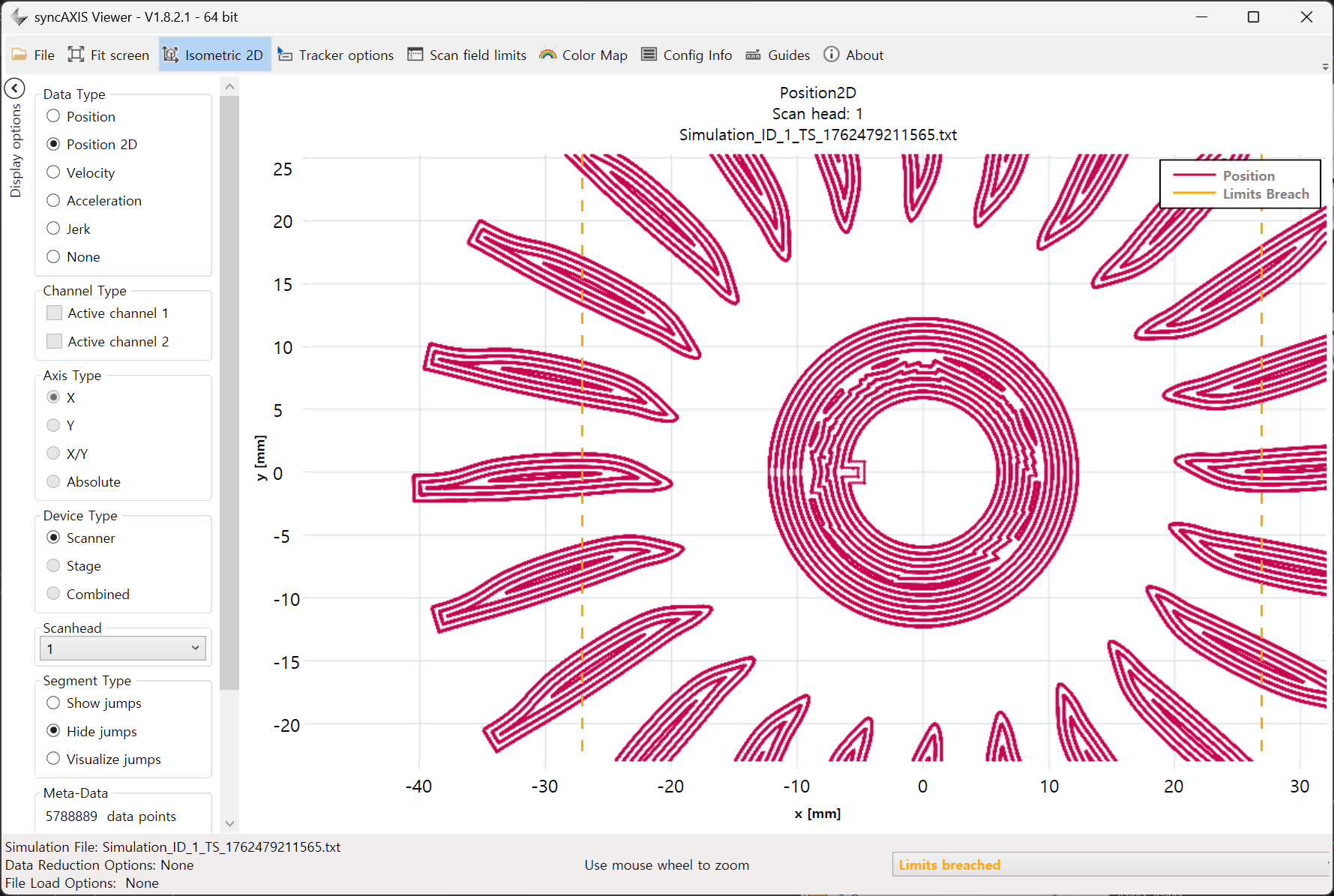
- 스캐너 운동 경로와 시그널 출력 로그를 이용한 그래프 출력 지원
- 경로 시뮬레이션 을 통한 시각화 지원
- 강력한 가공 옵션
- 가변 폴리곤, 가변 점프 지연시간 설정 지원
- 2nd 헤드, 3D 지원
- MoF (Marking on the Fly) 와 확장 MoF (Fly extension) 지원
- Sky Writing Mode 1/2/3/4
- SCANAhead 를 이용한 자동 지연값(Auto delays) 지원
- 멀티빔 (1개의 레이저 소스 + 2개의 AOM + 2개의 스캔헤드) 제어 지원
- ALC(Automatic Laser Control) or Pulse on Demand
- 벡터 정의형
- 램프 (Ramp)
- 속도 의존형
- 지령 속도
- 실제 속도
- 엔코더 의존형
- 엔코더 속도
- 위치 의존형
- 거리 및 스케일 값 기반 테이블
- 또한 SCANAhead, Encoder Speed Addition, Inverse Speed Correction, Backward Transformation, SDC+Skywriting 조합 사용 가능
- 벡터 정의형
- 스캐너 필드 보정
- 2D 보정
- 3D 보정 (기울어짐, 포커스, a,b,c 계수 및 스트레치 보정 지원)
- 레이저 파워 제어
- 주파수, 펄스폭, 아나로그, 디지털 출력
- 레이저 소스 벤더 지원: AdvancedOptoWave, Coherent, IPG, JPT, Photonics Industry, Spectra Physics 등
- 파워메터와 파워맵
- Coherent (PowerMax), Thorlabs (OPM 기반), Ophir (StarLab 기반)
- 파워맵 기반의 출력 보상 지원
- 렌더링 및 지오메트리 처리
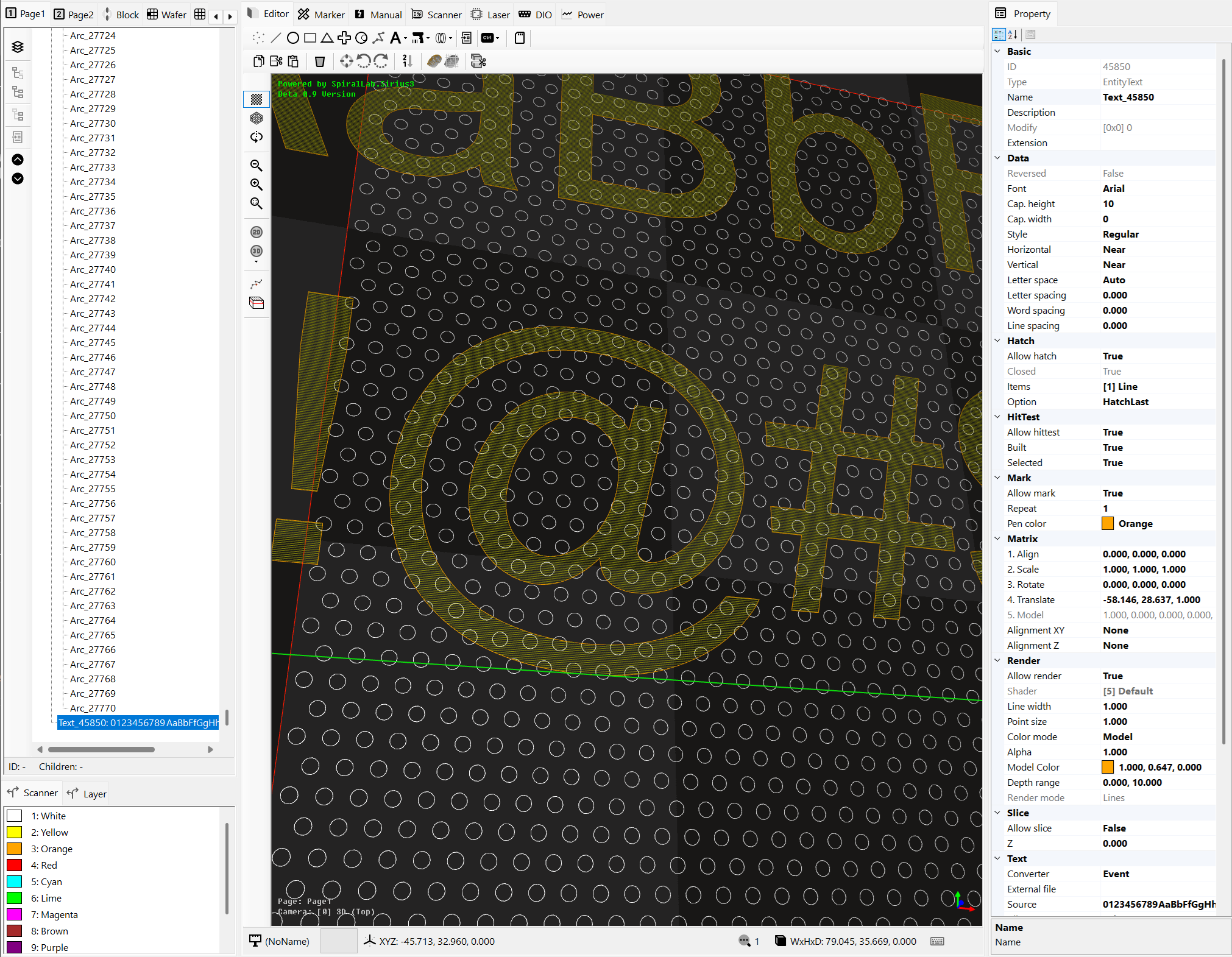
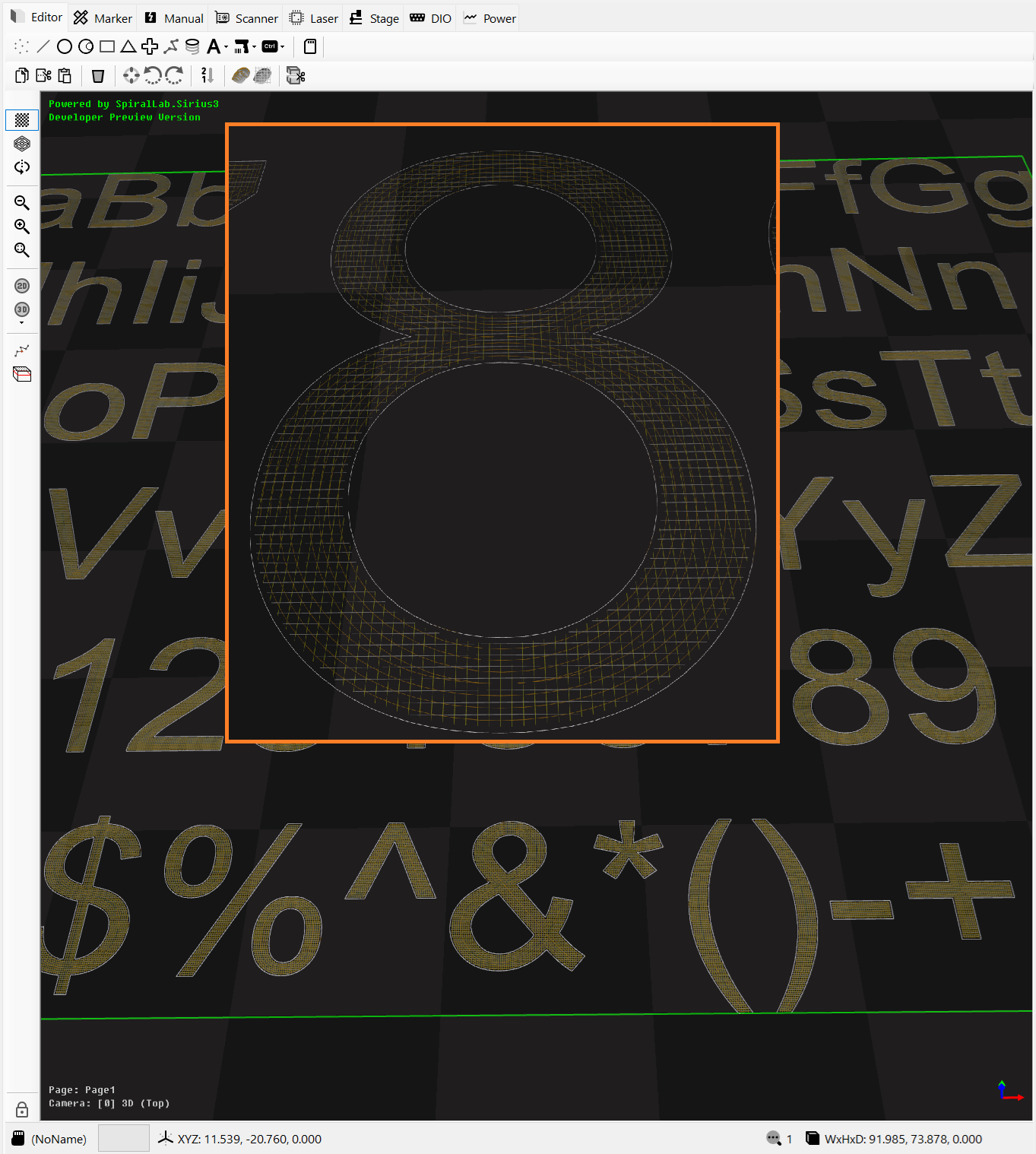
- 한 개의 직교 카메라와 다섯 개의 원근 카메라를 제공하는 OpenGL 3.3+ 2D/3D 렌더러
- 점, 선, 라인 스트립 및 삼각형 히트 테스트용 AABB 가속 구조
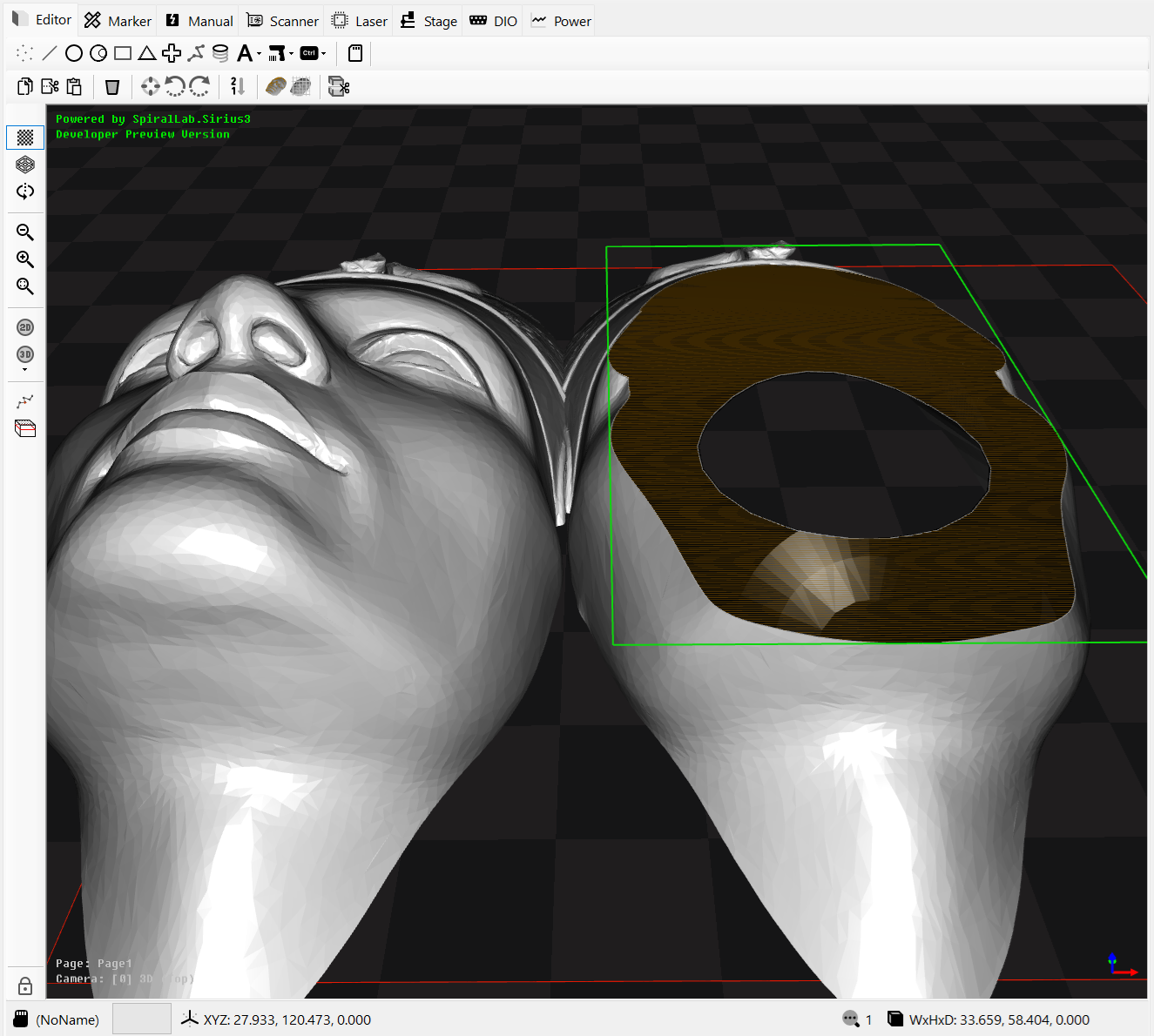
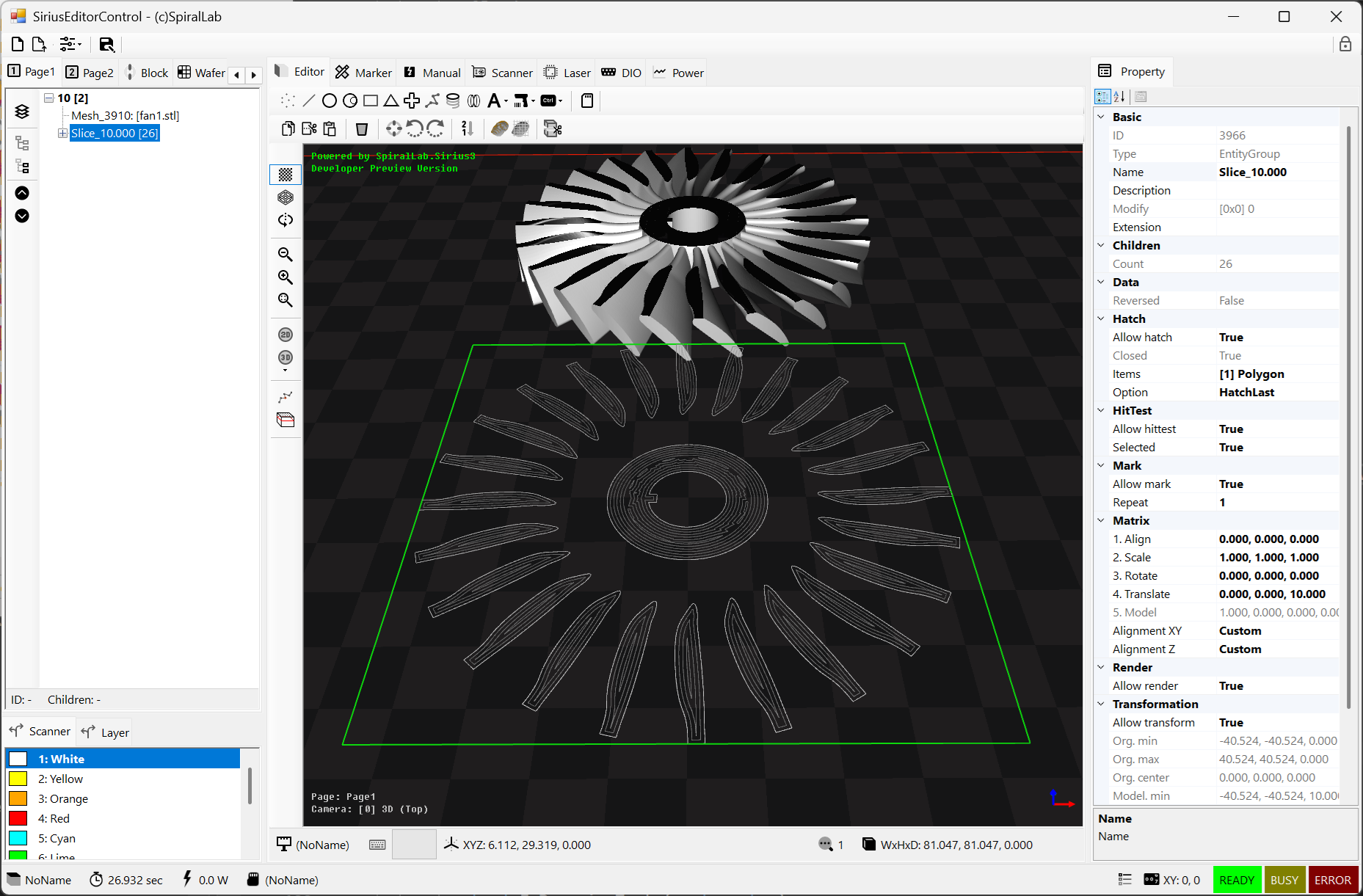
- 폐곡선/열린 경로 진단을 포함하는 토폴로지 기반 3D 메쉬 슬라이서
- 외곽선, 중첩 영역 및 연결된 바코드 셀을 처리하는 winding 기반 다중 해치
- 엔티티, 텍스트 및 바코드
- 점, 선, 호, 폴리라인, 삼각형, 사각형, 나선, 트레팬, 스플라인
- 큐브, 구, 실린더, 원뿔, 메쉬, 레이어, 그룹, 블록 및 블록 삽입
- Text, SiriusText, ImageText, Circular Text, 링크 텍스트 및 ZPL 렌더링 엔티티
- 외곽선, 해치 및 Dots 셀 가공을 지원하는 1D, QR, DataMatrix, PDF417 및 Aztec 바코드
- 외부 파일 및 상호 운용성
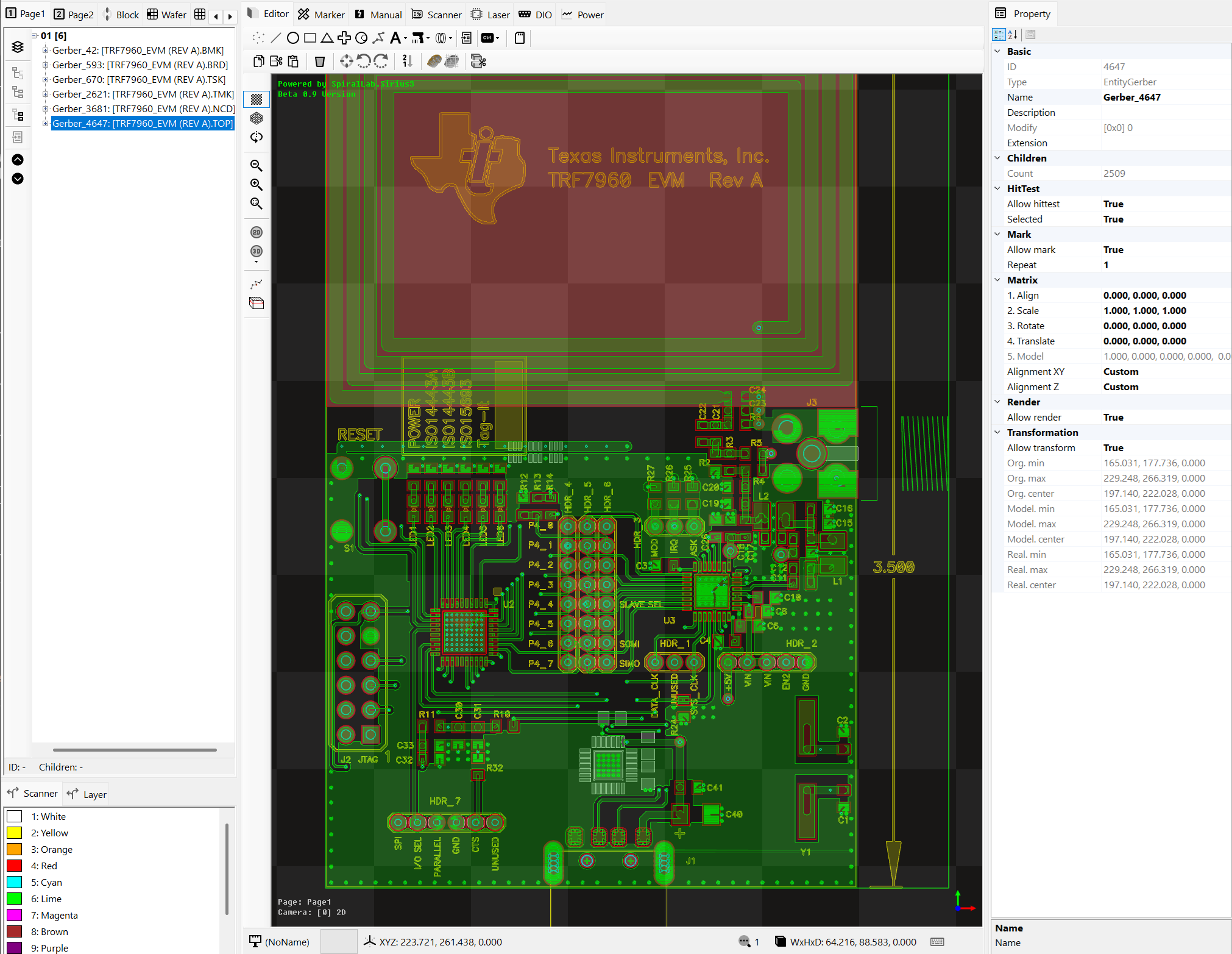
- Sirius3 문서, DXF/DWG, HPGL/PLT, Gerber/Excellon 및 G-code/NGC
- 래스터 이미지와 STL, OBJ, PLY, STP/STEP 3D 모델
- 벡터 파일의 허용 오차 기반 경로 연결과 내용 기반 Gerber/Excellon 판별
- 원격 통신 및 동적 데이터
- 마커 제어와 데이터 접근을 위한 TCP/IP, Serial(RS-232), WebSocket 및 MQTT
- AI 기반 편집기 등록, 문서·엔티티 편집, 시뮬레이션 및 등록 장치 제어를 지원하는 내장 HTTP MCP 서버
- 텍스트와 바코드 데이터용 이벤트, 파일, 오프셋, 링크 엔티티 및 C# 스크립트 변환
- 문서, 편집기 및 시뮬레이션 – 레이어, 펜, 그룹, 블록 및 개수 설정형 Undo/Redo를 갖는 4개 문서 페이지
- WinForms와 WPF `SiriusEditorControl` / `SiriusMultiEditorControl`을 Debug 및 Release에서 모두 지원하며, 하나의 문서를 복수 뷰에 렌더링하는 기능
- 화면 고정 크기 마커, 빔 효과 및 선택적 파편 효과를 제공하는 실시간 가공 경로 시각화
- 카메라 및 검사 작업용 격자 기반 스티치 이미지 시각화
- 오픈 아키텍쳐
- 확장 가능한 편집기, 엔티티, 마커, 스캐너, 레이저, 파워미터 및 원격 통신 인터페이스
- AI 기반 편집기 등록, 문서·엔티티 편집 및 장치 제어를 지원하는 내장 MCP 서버
주요 변경사항
- 4개의 페이지 교차 편집 지원
- 6개(2D + 5개 3D)의 카메라
- 고속 렌더링을 위한 GPU 가속 OpenGL 쉐이더 엔진
- 3D 매쉬(STL, OBJ, PLY, STEP) 를 위한 슬라이서 내장
- 외부 CXF, LFF, FNT, DOT 폰트 파일 포맷 지원
- Entity 와 Layer 용 펜 속성 분리 지원
- AI 연결및 프롬프트를 위한 MCP(Model Context Protocol) 지원
- 라이브러리 Nuget 패키지 매니저를 이용한 업데이트 지원
- 닷넷 프레임워크 4.8.1, net8.0, net9.0 and net10.0 플랫폼 지원
패키지 / DLLs
- SpiralLab.Sirius3.Dependencies — SCANLAB RTC4/5/6, syncAXIS 런타임, 폰트, 샘플 파일들
- SpiralLab.Sirius3 — 하드웨어 제어 (스캐너/레이저/파워메터 등)
- SpiralLab.Sirius3.UI — 엔티티, 지오메트리 처리, OpenGL 렌더링, WinForms/WPF 컨트롤 및 내장 MCP 연동
NuGet 패키지 관리자를 이용한 손쉬운 설치 및 업데이트가 지원됩니다.

대상 플랫폼
net481net8.0-windowsnet9.0-windowsnet10.0-windows
시스템 요구사항
- Windows 10/11 (x64)
- 최소 OpenGL 3.3 버전을 지원하는 GPU 필요 (최신 드라이버 강력 권장)
- SCANLAB 드라이버/런타임 설치 필요
- Visual Studio 2022 이상 버전
의존성
- SCANLAB
- RTC4: v2023.11.02
- RTC5: v2024.09.27
- RTC6: 2026.6.19 v1.25.0
- syncAXIS: 2023.03.09 v1.8.2
- .NET
net481: OpenTK 3.3.3net8.0-windows,net9.0-windows,net10.0-windows: OpenTK 및 OpenTK.Mathematics 4.9.4
- 모든 대상 프레임워크의 공통 패키지 의존성
- Microsoft.Extensions.Logging 10.0.10
- Microsoft.Extensions.Logging.Abstractions 10.0.10
- Microsoft.Extensions.Logging.Debug 10.0.10
- Newtonsoft.Json 13.0.4
패키지 설치

- 참조 추가 (NuGet 패키지 관리자 이용 권장)
SpiralLab.Sirius3.Dependencies(https://www.nuget.org/packages/SpiralLab.Sirius3.Dependencies)SpiralLab.Sirius3(https://www.nuget.org/packages/SpiralLab.Sirius3)SpiralLab.Sirius3.UI(https://www.nuget.org/packages/SpiralLab.Sirius3.UI)
Quick Start
WinForms (윈폼) 프로젝트 설정
PropertyGroup>
    <OutputType>WinExe</OutputType>
    <TargetFrameworks>net481;net8.0-windows;net9.0-windows;net10.0-windows</TargetFrameworks>
    <UseWindowsForms>true</UseWindowsForms>
</PropertyGroup>

<PropertyGroup Condition="'$(TargetFramework)'=='net481'">
	<DefineConstants>$(DefineConstants);OPENTK3</DefineConstants>
</PropertyGroup>
<PropertyGroup Condition="'$(TargetFramework)'!='net481'">
	<DefineConstants>$(DefineConstants);OPENTK4</DefineConstants>
</PropertyGroup>

<ItemGroup Condition="'$(TargetFramework)'=='net481'">
	<PackageReference Include="OpenTK" Version="3.3.3" />
</ItemGroup>
<ItemGroup Condition="'$(TargetFramework)'!='net481'">
	<PackageReference Include="OpenTK" Version="4.9.4" />
	<PackageReference Include="OpenTK.Mathematics" Version="4.9.4" />
</ItemGroup>

<ItemGroup>
    <PackageReference Include="Microsoft.Extensions.Logging" Version="10.0.10" />
    <PackageReference Include="Microsoft.Extensions.Logging.Abstractions" Version="10.0.10" />
    <PackageReference Include="Microsoft.Extensions.Logging.Debug" Version="10.0.10" />
    <PackageReference Include="SpiralLab.Sirius3.Dependencies" Version="1.*" />
    <PackageReference Include="SpiralLab.Sirius3" Version="1.*" />
    <PackageReference Include="SpiralLab.Sirius3.UI" Version="1.*" />
    <PackageReference Include="Newtonsoft.Json" Version="13.0.4" />
</ItemGroup>
Program.cs 예제 코드
using System;
using System.Diagnostics;
using System.Drawing;
using System.IO;
using System.Windows.Forms;

using SpiralLab.Sirius3.MCP;
using SpiralLab.Sirius3.IO;
using SpiralLab.Sirius3.Laser;
using SpiralLab.Sirius3.Marker;
using SpiralLab.Sirius3.PowerMap;
using SpiralLab.Sirius3.PowerMeter;
using SpiralLab.Sirius3.Scanner;
using SpiralLab.Sirius3.Scanner.Rtc;

#if OPENTK3
    using OpenTK;
    using DVec3 = OpenTK.Vector3d;
#elif OPENTK4
    using OpenTK.Mathematics;
    using DVec3 = OpenTK.Mathematics.Vector3d;
#endif

static class Program
{
    [STAThread]
    static void Main()
    {
        Application.EnableVisualStyles();
        Application.SetCompatibleTextRenderingDefault(false);

        // 시리우스3 라이브러리 초기화
        SpiralLab.Sirius3.Core.Initialize();

        // 윈폼 생성
        CreateAndExecuteMainForm();
    }

    static void CreateAndExecuteMainForm()
    {
        // 동적 폼 생성하여 SiriusEditorControl 추가
        Form dynamicForm = new Form();
        dynamicForm.SuspendLayout();
        dynamicForm.AutoScaleDimensions = new System.Drawing.SizeF(6F, 13F);
        dynamicForm.AutoScaleMode = System.Windows.Forms.AutoScaleMode.Font;
        dynamicForm.Font = new System.Drawing.Font("Segoe UI", 8.25F, System.Drawing.FontStyle.Regular, System.Drawing.GraphicsUnit.Point, ((byte)(0)));
        dynamicForm.Text = "DEMO - (c)SpiralLab";
        dynamicForm.Size = new Size(1600, 1200);
        dynamicForm.StartPosition = FormStartPosition.CenterScreen;
        var editorControl = new SpiralLab.Sirius3.UI.WinForms.SiriusEditorControl();
        IMCPServer mcpServer = null;
        editorControl.Dock = DockStyle.Fill;
        dynamicForm.Controls.Add(editorControl);
        dynamicForm.ResumeLayout(false);

        dynamicForm.Load += (s, e) =>
        {
            // 장치 생성및 초기화 후 EditorControl 에 등록
            bool success = true;

            // 스캐너 제어
            string correctionFile = "cor_1to1.ct5";
            string correctionPath = Path.Combine(SpiralLab.Sirius3.Config.CorrectionPath, correctionFile);
            const double fov = 100.0;
            var kfactor = Math.Pow(2, 20) / fov;
            var index = 0;
            var rtc = ScannerFactory.CreateRtc5(index, kfactor, LaserModes.Yag1, RtcSignalLevels.ActiveHigh, RtcSignalLevels.ActiveHigh, correctionPath);
            success &= rtc.Initialize();
            rtc.CtlFrequency(50 * 1000, 2);
            rtc.CtlSpeed(100, 100);

            // 디지털 입출력 제어
            var dIExt1 = IOFactory.CreateInputExtension1(rtc); success &= dIExt1.Initialize();
            var dOExt1 = IOFactory.CreateOutputExtension1(rtc); success &= dOExt1.Initialize();
            var dOExt2 = IOFactory.CreateOutputExtension2(rtc); success &= dOExt2.Initialize();
            var dILaserPort = IOFactory.CreateInputLaserPort(rtc); success &= dILaserPort.Initialize();
            var dOLaserPort = IOFactory.CreateOutputLaserPort(rtc); success &= dOLaserPort.Initialize();

            // 파워메터 제어
            double laserMaxPower = 20;
            var powerMeter = PowerMeterFactory.CreateVirtual(index, laserMaxPower);
            //var powerMeter = PowerMeterFactory.CreateCoherentPowerMax(index, 4);
            //var powerMeter = PowerMeterFactory.CreateGentecEO(index, 3, scaleIndex: null);
            success &= powerMeter.Initialize();

            // 레이저 제어
            var laser = LaserFactory.CreateVirtualDutyCycle(index, laserMaxPower, 0, 100);
            //var laser = LaserFactory.Create ...
            success &= laser.Initialize();
            laser.Scanner = rtc;

            // 파워맵
            var powerMap = PowerMapFactory.CreateDefault(index, "default");
            powerMap.Reset1to1("10000", laserMaxPower);
            laser.PowerMap = powerMap;

            // 마커
            var marker = MarkerFactory.CreateRtc(index);
            //var marker = MarkerFactory.CreateRtcFast(index);
            //var marker = MarkerFactory.CreateSyncAxis(index);
            success &= marker.Initialize();

            Debug.Assert(success);

            // 장치 등록
            editorControl.RegisterDevices(rtc, laser, powerMeter, dIExt1, dILaserPort, dOExt1, dOExt2, dOLaserPort, marker);

            // 인증된 HTTP MCP 서버 시작
            mcpServer = MCPFactory.CreateServer(0, "MCP", editorControl);
            mcpServer.AccessMode = MCPAccessMode.All;
            if (!mcpServer.Start().GetAwaiter().GetResult())
                throw new InvalidOperationException("Failed to start the MCP server.");
            dynamicForm.Text = $"{dynamicForm.Text} + MCP ({mcpServer.Options.HttpEndpoint})";
        };

       dynamicForm.FormClosing += (s, e) =>
        {
            var dlgResult = MessageBox.Show(dynamicForm, $"Do you really want to terminate program ?", "WARNING", MessageBoxButtons.YesNo, MessageBoxIcon.Question);
            if (dlgResult != DialogResult.Yes)
            {
                e.Cancel = true;
                return;
            }
            // 편집기, 문서 및 장치보다 먼저 MCP 서버 해제
            mcpServer?.Dispose();
            mcpServer = null;

            // 장치 해제
            editorControl.DisposeDevices();

            // 문서 해제
            editorControl.Document?.Dispose();

            // 시리우스3 라이브러리 정리
            SpiralLab.Sirius3.Core.Cleanup();
        };

        Application.Run(dynamicForm);
    }
}
WPF 프로젝트 설정
<PropertyGroup>
    <OutputType>WinExe</OutputType>
    <TargetFrameworks>net481;net8.0-windows;net9.0-windows;net10.0-windows</TargetFrameworks>
    <UseWPF>true</UseWPF>
    <UseWindowsForms>true</UseWindowsForms>
</PropertyGroup>
Program.cs 예제 코드
using System;
using System.Windows;
using SpiralLab.Sirius3.IO;
using SpiralLab.Sirius3.Laser;
using SpiralLab.Sirius3.Marker;
using SpiralLab.Sirius3.MCP;
using SpiralLab.Sirius3.PowerMap;
using SpiralLab.Sirius3.PowerMeter;
using SpiralLab.Sirius3.Scanner;
using SpiralLab.Sirius3.Scanner.Rtc;
using SpiralLab.Sirius3.UI.WPF;

internal static class Program
{
    [STAThread]
    private static void Main()
    {
        var app = new Application();
        SiriusEditorControl editor = null;
        IMCPServer mcpServer = null;
        var coreInitialized = false;
        var editorDisposed = false;

        void DisposeEditor()
        {
            if (editorDisposed || editor == null)
                return;
            editorDisposed = true;

            var document = editor.Document;
            try { mcpServer?.Dispose(); }
            finally
            {
                mcpServer = null;
                try { editor.DisposeDevices(); }
                finally
                {
                    try { editor.Dispose(); }
                    finally { document?.Dispose(); }
                }
            }
        }

        try
        {
            SpiralLab.Sirius3.Core.Initialize();
            coreInitialized = true;
            WPFThemeManager.Initialize();

            editor = new SiriusEditorControl();

            const int index = 0;
            const double fieldSize = 100.0;
            const double laserMaxPower = 20.0;
            var scanner = ScannerFactory.CreateVirtual(
                index,
                Math.Pow(2, 20) / fieldSize,
                LaserModes.Yag1,
                RtcSignalLevels.ActiveHigh,
                RtcSignalLevels.ActiveHigh,
                null);
            var dIExt1 = IOFactory.CreateInputExtension1(scanner);
            var dILaserPort = IOFactory.CreateInputLaserPort(scanner);
            var dOExt1 = IOFactory.CreateOutputExtension1(scanner);
            var dOExt2 = IOFactory.CreateOutputExtension2(scanner);
            var dOLaserPort = IOFactory.CreateOutputLaserPort(scanner);
            var powerMeter = PowerMeterFactory.CreateVirtual(index, laserMaxPower);
            var laser = LaserFactory.CreateVirtualDutyCycle(index, laserMaxPower, 0, 100);
            var powerMap = PowerMapFactory.CreateDefault(index, "default");
            var marker = MarkerFactory.CreateVirtual(index);

            powerMap.Reset1to1("10000", laserMaxPower);
            laser.Scanner = scanner;
            laser.PowerMap = powerMap;

            var success = scanner.Initialize();
            success &= scanner.CtlFrequency(50 * 1000, 2);
            success &= scanner.CtlSpeed(100, 100);
            success &= dIExt1.Initialize();
            success &= dILaserPort.Initialize();
            success &= dOExt1.Initialize();
            success &= dOExt2.Initialize();
            success &= dOLaserPort.Initialize();
            success &= powerMeter.Initialize();
            success &= laser.Initialize();
            success &= marker.Initialize();

            editor.RegisterDevices(
                scanner, laser, powerMeter,
                dIExt1, dILaserPort,
                dOExt1, dOExt2, dOLaserPort,
                marker);

            if (!success)
                throw new InvalidOperationException("가상 장치 초기화에 실패했습니다.");

            var window = new Window
            {
                Title = "Sirius3 WPF Editor",
                Width = 1400,
                Height = 900,
                Content = editor,
                WindowStartupLocation = WindowStartupLocation.CenterScreen,
            };

            mcpServer = MCPFactory.CreateServer(0, "MCP", editor);
            mcpServer.AccessMode = MCPAccessMode.All;
            if (!mcpServer.Start().GetAwaiter().GetResult())
                throw new InvalidOperationException("Failed to start the MCP server.");
            window.Title = $"{window.Title} + MCP ({mcpServer.Options.HttpEndpoint})";

            // WPF 창과 GL 컨텍스트가 유지되는 Closing 시점에 MCP 서버와 편집기를 해제합니다.
            window.Closing += (_, __) => DisposeEditor();
            app.Run(window);
        }
        finally
        {
            try { DisposeEditor(); }
            finally
            {
                if (coreInitialized)
                    SpiralLab.Sirius3.Core.Cleanup();
            }
        }
    }
}
Demo Programs
- 프로그램 설명 DEMOS.koKR.md
- 스캐너, 레이저, 파워메터, 마커등의 장치 객체를 생성하고 SiriusEditorControl 에 연결.
- 예제 코드: https://github.com/labspiral/sirius3/tree/main/demos
라이선스
- 상업용 사용은 라이센스 구매가 필요합니다.
- 라이센스: RTC 인스턴스 개수 + [옵션]
- MoF 옵션: 외부 엔코더를 이용한(실시간 추종 및 대기 등) Fly 가공 기능 (Processing on the fly).
- MultiBeam 옵션: 1개의 레이저 소스 + 2개의 AOM + 2개의 스캔헤드 구성으로 점프 구간에서 레이저 빔 경로를 실시간 변경해 처리하는 기능.
- syncAXIS 옵션: ACS 모션 제어기 + excelliSCAN 스캔헤드 구성으로 스캐헤드와 스테이지의 동기화를 이용한 대면적 가공(XL-SCAN 솔류션).
- Remote 옵션: 소켓, 시리얼, WebSocket, MQTT 외부 통신을 통한 레시피 변경, 가공 제어 및 데이터 조회·변경을 지원하며, AI 기반 문서·엔티티 편집과 등록 장치 제어를 위한 내장 MCP 서버 기능을 포함합니다.
- 라이센스 정책 및 외부 라이브러리는 LICENSE.koKR.txt, THIRD-PARTY-NOTICES.koKR.txt 참고.
- 이메일: hcchoi@spirallab.co.kr | https://spirallab.co.kr
라이센스키가 없으면 30분간 사용이 가능한 평가모드로 실행됩니다.
버전 이력
- 이력 정보 HISTORY.krKR.md
API 문서